Ghost Behind Cloudflare and Traefik: The Complete Working Setup (5 Bugs Fixed)
How to deploy Ghost 5 behind Cloudflare proxy and Traefik with Let's Encrypt DNS-01 challenge. Real config, real bugs, real fixes — including the Ghost redirect loop and Traefik multi-network routing failure.

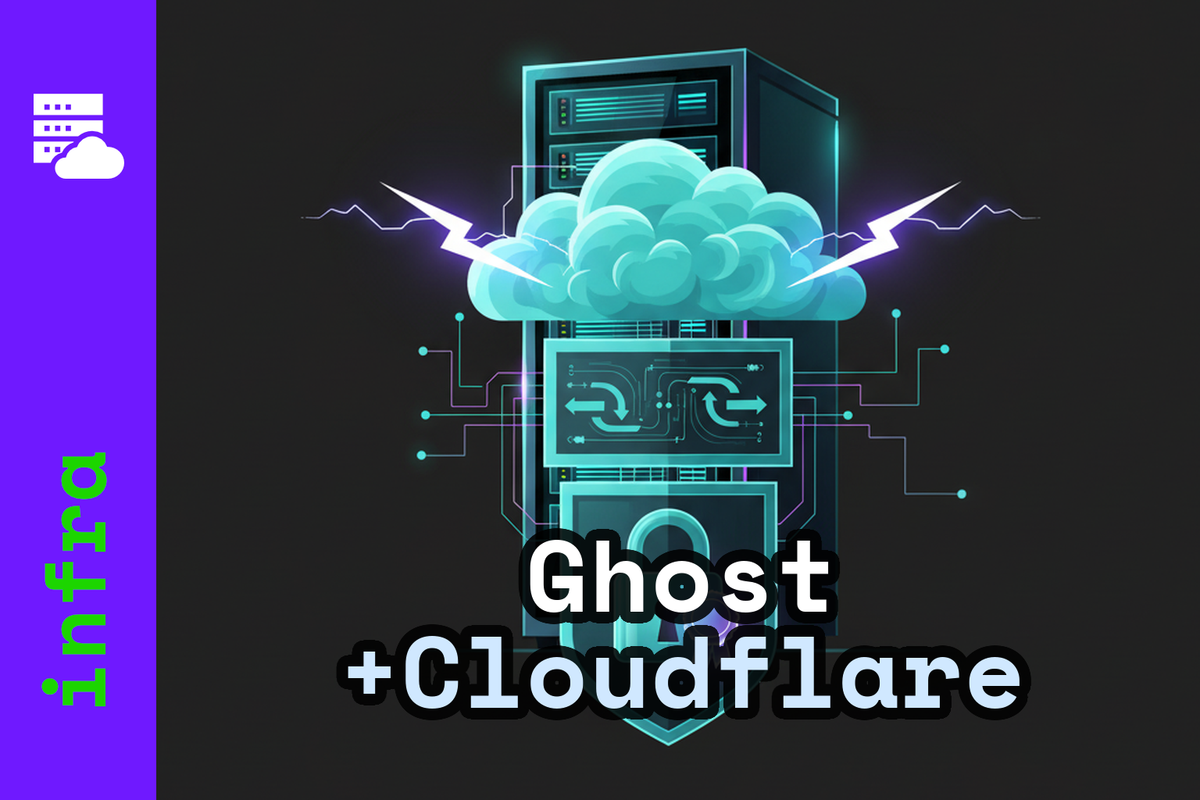
You rent a small VPS. You point your domain at it. You want to run a blog — Ghost, because you care about owning your content and not paying a platform tax forever. You add Cloudflare in front because it protects your origin IP, gives you a free CDN, and absorbs traffic spikes you don't have yet but might one day.
Then you add Traefik as a reverse proxy, because you want automatic HTTPS and you might run other services on the same server later. You follow the documentation. You deploy. Nothing works.
This post is the setup that actually works. Ghost 5 + Traefik + Cloudflare DNS-01 with Let's Encrypt. We hit five bugs getting here. Each one is documented below with the fix and a diagnostic command you can run to confirm it.
Why Both Cloudflare and Let's Encrypt?
If Cloudflare gives you a free TLS certificate, why bother with Let's Encrypt on the origin?
Because they cover different connections.
Cloudflare's certificate lives at the edge — it's what browsers see. It's issued automatically, renewed automatically, and covers your domain with their global CDN infrastructure. You get DDoS protection, caching, and a Web Application Firewall on the free tier.
The Let's Encrypt certificate on your origin server is what Cloudflare sees when it connects to your backend. With Cloudflare's SSL mode set to Full (Strict), Cloudflare verifies that the origin has a valid, publicly-trusted certificate. Without a valid origin cert, you have two bad options: - Flexible mode (Cloudflare to origin is plain HTTP) — your data is unencrypted between Cloudflare and your server - Full mode (not Strict) — Cloudflare connects to origin HTTPS but accepts self-signed or expired certs, which is security theatre
With both working together:
Browser
  ↓ HTTPS (Cloudflare's cert — ECDSA, fast)
Cloudflare Edge (DDoS protection, CDN, WAF)
  ↓ HTTPS (Let's Encrypt cert — verified)
Traefik on your server
  ↓ HTTP (internal, Docker network only)
Ghost
Your data is encrypted end-to-end, your origin IP stays hidden from the public internet, and you get Cloudflare's free CDN. This is the correct setup.
Why DNS-01 Challenge Instead of HTTP-01
Let's Encrypt can prove you own a domain two ways: - HTTP-01: LE places a file at http://yourdomain/.well-known/acme-challenge/... and verifies it over port 80 - DNS-01: LE asks you to create a TXT record at _acme-challenge.yourdomain and checks DNS
With Cloudflare proxy enabled (orange cloud), port 80 traffic goes through Cloudflare before reaching your server. HTTP-01 still works in this mode, but there's a subtler problem: if your domain previously had DNSSEC enabled (e.g. from a prior DNS provider like DeSEC), and you switched nameservers without updating the DS records at your registrar, DNSSEC validation will be Bogus for your domain. Every DNSSEC-validating resolver — including Let's Encrypt's servers — will refuse to resolve it. HTTP-01 fails silently with a confusing error.
DNS-01 challenge bypasses this entirely. Traefik calls the Cloudflare API, creates a TXT record, and Let's Encrypt validates it. No port 80 access needed. No DNSSEC lookup for A records required. And as a bonus, DNS-01 is the only way to get wildcard certificates (*.yourdomain.com).
Prompt for Claude Code or OpenClaw:
Check the Traefik logs for any ACME certificate errors and explain what they mean.
If you see DNSSEC: Bogus: validation failure, your registrar still has DS records pointing to the old DNS provider. Remove them or update them at the registrar — that's the only fix.
The Full Working docker-compose.yml
Here is the complete, tested configuration. Here's a walkthrough of each non-obvious piece.
services:

  traefik:
    image: traefik:latest
    container_name: traefik
    restart: unless-stopped
    environment:
      - DOCKER_API_VERSION=1.41
      - CF_DNS_API_TOKEN=${CLOUDFLARE_TOKEN}   # (1)
    ports:
      - "80:80"
      - "443:443"
    command:
      - "--entrypoints.web.address=:80"
      - "--entrypoints.websecure.address=:443"
      - "--entrypoints.web.http.redirections.entrypoint.to=websecure"
      - "--entrypoints.web.http.redirections.entrypoint.scheme=https"
      - "--providers.docker=true"
      - "--providers.docker.exposedbydefault=false"
      # DNS-01 via Cloudflare                  (2)
      - "--certificatesresolvers.letsencrypt.acme.dnschallenge=true"
      - "--certificatesresolvers.letsencrypt.acme.dnschallenge.provider=cloudflare"
      - "--certificatesresolvers.letsencrypt.acme.dnschallenge.resolvers=1.1.1.1:53,8.8.8.8:53"
      - "--certificatesresolvers.letsencrypt.acme.email=${ACME_EMAIL}"
      - "--certificatesresolvers.letsencrypt.acme.storage=/acme.json"
      - "--log.level=WARN"
      - "--accesslog=false"
    volumes:
      - /var/run/docker.sock:/var/run/docker.sock:ro
      - ./traefik/acme.json:/acme.json
    networks:
      - web

  ghost:
    image: ghost:5-alpine
    container_name: ghost
    restart: unless-stopped
    depends_on:
      db:
        condition: service_healthy
    environment:
      url: https://${DOMAIN}
      database__client: mysql
      database__connection__host: db
      database__connection__user: ${DB_USER}
      database__connection__password: ${DB_PASSWORD}
      database__connection__database: ${DB_NAME}
      mail__transport: SMTP
      mail__options__host: ${MAIL_HOST}
      mail__options__port: ${MAIL_PORT}
      mail__options__secureConnection: "false"
      mail__options__auth__user: ${MAIL_USER}
      mail__options__auth__pass: ${MAIL_PASS}
      mail__from: ${MAIL_FROM}
      NODE_ENV: production
    volumes:
      - ghost_content:/var/lib/ghost/content
    labels:
      - "traefik.enable=true"
      - "traefik.docker.network=clawstack_web"                         # (3)
      # Apex router
      - "traefik.http.routers.ghost.rule=Host(`${DOMAIN}`)"
      - "traefik.http.routers.ghost.entrypoints=websecure"
      - "traefik.http.routers.ghost.tls=true"
      - "traefik.http.routers.ghost.tls.certresolver=letsencrypt"
      - "traefik.http.routers.ghost.tls.domains[0].main=${DOMAIN}"
      - "traefik.http.routers.ghost.tls.domains[0].sans=www.${DOMAIN}"
      - "traefik.http.routers.ghost.middlewares=ghost-headers@docker"  # (4)
      - "traefik.http.services.ghost.loadbalancer.server.port=2368"
      # X-Forwarded-Proto middleware            (5)
      - "traefik.http.middlewares.ghost-headers.headers.customrequestheaders.X-Forwarded-Proto=https"
      # www → apex redirect
      - "traefik.http.routers.ghost-www.rule=Host(`www.${DOMAIN}`)"
      - "traefik.http.routers.ghost-www.entrypoints=websecure"
      - "traefik.http.routers.ghost-www.tls=true"
      - "traefik.http.routers.ghost-www.tls.certresolver=letsencrypt"
      - "traefik.http.routers.ghost-www.middlewares=www-redirect@docker"
      - "traefik.http.middlewares.www-redirect.redirectregex.regex=^https://www\\.(.*)"
      - "traefik.http.middlewares.www-redirect.redirectregex.replacement=https://$${1}"
      - "traefik.http.middlewares.www-redirect.redirectregex.permanent=true"
    networks:
      - web
      - internal

  db:
    image: mysql:8.0
    container_name: ghost_db
    restart: unless-stopped
    environment:
      MYSQL_ROOT_PASSWORD: ${DB_ROOT_PASSWORD}
      MYSQL_DATABASE: ${DB_NAME}
      MYSQL_USER: ${DB_USER}
      MYSQL_PASSWORD: ${DB_PASSWORD}
    volumes:
      - db_data:/var/lib/mysql
    healthcheck:
      test: ["CMD", "mysqladmin", "ping", "-h", "localhost", "-u", "root", "-p${DB_ROOT_PASSWORD}"]
      interval: 10s
      timeout: 5s
      retries: 10
      start_period: 30s
    networks:
      - internal

volumes:
  ghost_content:
  db_data:

networks:
  web:
  internal:
    internal: true
Here’s what each numbered annotation does — each one fixes a real bug we hit.
Bug 1 — The Cloudflare token must be named CF_DNS_API_TOKEN (1)
Traefik's Cloudflare DNS provider expects a specific environment variable name: CF_DNS_API_TOKEN. If you name it anything else in your .env file (I originally called it DNS_TOKEN from an old DeSEC setup), Traefik's Cloudflare provider won't find it. The certificate issuance will silently fail.
The .env side:
CLOUDFLARE_TOKEN=your_token_here
The compose side:
environment:
  - CF_DNS_API_TOKEN=${CLOUDFLARE_TOKEN}
Cloudflare API token requirements: - Go to: Cloudflare Dashboard → My Profile → API Tokens → Create Token - Use the "Edit zone DNS" template - Scope it to your specific zone — don't create a global token
Prompt for Claude Code or OpenClaw:
Check whether the Traefik container has the CF_DNS_API_TOKEN environment variable set.
Run: docker exec traefik env | grep CF_DNS
Bug 2 — Ghost creates an infinite redirect loop with Cloudflare (5)
This was the hardest bug to find. Here's what happened:
Ghost is configured with url: https://yourdomain.com. When Traefik forwards a request to Ghost over plain HTTP (port 2368 on the internal Docker network), Ghost sees an HTTP request but knows its canonical URL is HTTPS. So it returns a 301 redirect to https://yourdomain.com.
Traefik passes that 301 back to Cloudflare. Cloudflare follows the redirect (with Full SSL mode, it connects to origin via HTTPS). Traefik forwards to Ghost again. Ghost returns another 301. Infinite loop. The browser sees a timeout.
From the outside, this looks exactly like a down server — no response, no error code. The Ghost logs tell the truth:
ghost | "GET /" 301 9ms
ghost | "GET /" 301 3ms
Every request gets a 301. Nothing gets through.
The fix: Tell Ghost the request already arrived over HTTPS by adding an X-Forwarded-Proto: https header. Ghost checks this header and skips the redirect when it's present.
- "traefik.http.middlewares.ghost-headers.headers.customrequestheaders.X-Forwarded-Proto=https"
- "traefik.http.routers.ghost.middlewares=ghost-headers@docker"
You can verify this without any config change. SSH to the server and run:
docker exec ghost_db bash -c 'curl -s -D - -H "X-Forwarded-Proto: https" http://ghost:2368/ -o /dev/null'
If you get HTTP/1.1 200 OK, the header is the fix. If you still get 301, something else is wrong.
Prompt for Claude Code or OpenClaw:
Check Ghost logs to see what HTTP status code it's returning for GET / requests.
If it's returning 301, test whether adding an X-Forwarded-Proto: https header fixes it
by curling Ghost directly from within the Docker network.
Bug 3 — Middleware names need the @docker suffix in Traefik v3 (4)
This one is a silent failure with no log output, which makes it especially painful.
In Traefik v3 with the Docker provider, middlewares defined via container labels are scoped to the docker provider. When you reference them from a router, you must include the @docker suffix:
# Wrong — silently fails, router hangs
- "traefik.http.routers.ghost.middlewares=ghost-headers"

# Correct
- "traefik.http.routers.ghost.middlewares=ghost-headers@docker"
When the middleware reference is wrong, Traefik doesn't log an error at WARN level. The router just doesn't process requests. Connections hang. No HTTP response is returned. This looks identical to the Ghost redirect loop bug from the outside — status 000, timeout.
How to distinguish them: Enable Traefik access logs temporarily by adding --accesslog=true to the command section. If requests appear in access logs but Ghost returns 301, it's Bug 2. If requests don't appear in access logs at all, it's Bug 3.
Prompt for Claude Code or OpenClaw:
Enable Traefik access logs temporarily and make a test request to the site.
Check whether the request appears in the access log. If it doesn't appear,
there's likely a broken middleware reference in the docker-compose labels.
Bug 4 — Traefik picks the wrong IP when Ghost is on multiple Docker networks (3)
Ghost is on two networks: web (shared with Traefik for proxying) and internal (shared with MySQL, isolated from the internet). When a container has multiple network attachments, Traefik may resolve the container hostname to the wrong network's IP address — the one Traefik can't route to correctly.
The symptom is intermittent: the site works after a full docker compose down && docker compose up -d, but breaks after a Ghost-only restart (docker compose up -d --remove-orphans). Each Ghost restart gives the container a new IP. Traefik might pick up the internal network IP instead of the web network IP.
The fix: explicitly tell Traefik which network to use:
- "traefik.docker.network=clawstack_web"
Note the naming: Docker Compose prefixes network names with the project name. If your compose project is in a directory called clawstack, the network web in your compose file becomes clawstack_web. You can verify with:
docker network ls | grep clawstack
Prompt for Claude Code or OpenClaw:
The site works after a full stack restart but breaks after restarting only Ghost.
Check whether the Ghost container is on multiple Docker networks and whether
traefik.docker.network is set in the Ghost labels. If not, add it.
Bug 5 — www returns 526 because Cloudflare verifies origin cert per hostname (SAN required)
Cloudflare error 526 means "invalid SSL certificate on the origin". In Full (Strict) mode, Cloudflare connects to your origin for every proxied hostname and verifies the cert. If your Let's Encrypt cert only covers yourdomain.com, then Cloudflare's request for www.yourdomain.com will fail cert verification — even though both A records point to the same server.
The fix has two parts:
First, add www.yourdomain.com as a Subject Alternative Name to the Let's Encrypt cert:
- "traefik.http.routers.ghost.tls.domains[0].main=${DOMAIN}"
- "traefik.http.routers.ghost.tls.domains[0].sans=www.${DOMAIN}"
Second, add a dedicated router for www that redirects permanently to the apex:
- "traefik.http.routers.ghost-www.rule=Host(`www.${DOMAIN}`)"
- "traefik.http.routers.ghost-www.tls=true"
- "traefik.http.routers.ghost-www.middlewares=www-redirect@docker"
- "traefik.http.middlewares.www-redirect.redirectregex.regex=^https://www\\.(.*)"
- "traefik.http.middlewares.www-redirect.redirectregex.replacement=https://$${1}"
- "traefik.http.middlewares.www-redirect.redirectregex.permanent=true"
With this, Traefik has a cert that covers both domains, Cloudflare's strict verification passes, and www visitors get permanently redirected to the apex.
Prompt for Claude Code or OpenClaw:
Check whether the www subdomain is returning a Cloudflare 526 error.
If so, verify that the Traefik cert covers www as a SAN,
and that there's a router defined for www.yourdomain.com.
Check: cat traefik/acme.json | python3 -c "import sys,json; [print(c['domain']) for c in json.load(sys.stdin)['letsencrypt']['Certificates']]"
Setting Up Cloudflare SSL Mode
One thing you cannot do with a scoped DNS-only Cloudflare API token: change SSL/TLS settings. That requires Zone Settings edit permission, which you shouldn't add to your Traefik token (principle of least privilege — Traefik only needs DNS edit).
Set SSL mode manually in the Cloudflare dashboard:
Cloudflare Dashboard → yourdomain → SSL/TLS → Overview → Full (Strict)
Do this before deploying. If you forget, Cloudflare's default may be "Flexible", which connects to origin via HTTP, which triggers the Ghost redirect loop (Bug 2).
The Diagnostic Workflow
When something is broken and you're not sure where, run through this checklist in order:
1. Are all containers running?
   docker compose ps

2. Is Ghost booting successfully (no DB connection errors)?
   docker compose logs --tail=30 ghost

3. Is port 443 open and TLS working?
   echo | openssl s_client -connect localhost:443 -servername yourdomain.com 2>&1 | grep -E "subject|issuer|Verify"

4. Is Cloudflare actually reaching the server?
   sudo tcpdump -i eth0 -n 'tcp dst port 443' -c 5

5. What HTTP status does Ghost return for a direct internal request?
   docker exec ghost_db bash -c 'curl -s -D - -H "X-Forwarded-Proto: https" http://ghost:2368/ -o /dev/null' | head -5

6. Are Traefik's routers seeing any requests?
   docker compose logs traefik | tail -20
Each step narrows it down. If step 4 shows no traffic, it's a DNS or firewall issue. If step 5 shows 301, it's the redirect loop. If step 6 shows no log entries despite traffic arriving, it's a middleware or router config issue.
Final Checklist Before Going Live
Before you visit /ghost to create your admin account:
- [ ]
curl -s https://yourdomain.com/ -o /dev/null -w "%{http_code}"returns 200 - [ ]
curl -s https://www.yourdomain.com/ -o /dev/null -w "%{http_code}"returns 301 - [ ]
curl -s http://yourdomain.com/ -o /dev/null -w "%{http_code}"returns 301 - [ ] SSL cert issuer is Let's Encrypt (not Cloudflare's self-signed):
curl -sv https://yourdomain.com/ 2>&1 | grep issuer - [ ] Cloudflare SSL mode is Full (Strict) in dashboard
- [ ]
traefik/acme.jsoncontains certs for both apex and www domains
Using an AI to Debug This
If you're stuck on any of the bugs above, paste the URL of this post into your AI assistant's conversation. Claude, GPT-4, Gemini — all of them can read it. They'll understand the exact stack, recognise the error patterns from the log snippets, and give you targeted commands rather than generic Docker advice. The diagnostic checklist in the previous section also works as a prompt: copy it verbatim and ask your AI to run through it step by step on your server.
Where to Run This
The stack described in this post — Ghost, Traefik, MySQL — runs on a Hetzner CX22 for €4.85/month. Two vCPUs, 4 GB RAM, 40 GB SSD. It handles Ghost without breaking a sweat, and leaves room for other containers on the same machine.
If you want an AI assistant running on your own server without spending a weekend debugging Docker networking first, xCloud hosts OpenClaw managed. You get the same capabilities as a self-hosted setup, minus the part where Traefik silently drops your requests because of a missing @docker suffix.
(Affiliate links — we get a small cut if you sign up, at no cost to you.)
Resources
- Ghost Docker image: hub.docker.com/_/ghost
- Traefik DNS-01 Cloudflare docs: doc.traefik.io
- Cloudflare API token creation: Cloudflare Dashboard → My Profile → API Tokens
German Version (Deutsch)
Metadaten
- Titel: Ghost hinter Cloudflare und Traefik: Die vollständige funktionierende Konfiguration (5 Bugs behoben)
- Slug: ghost-traefik-cloudflare-setup-de
- Beschreibung: Ghost 5 hinter Cloudflare Proxy und Traefik mit Let's Encrypt DNS-01-Challenge betreiben. Echte Konfiguration, echte Bugs, echte Lösungen — inklusive Ghost Redirect-Loop und Traefik Multi-Network-Routing-Fehler.
- Tags: ghost, traefik, cloudflare, docker, selbst-gehostet, ssl, infra
- Pillar: /infra/
- Language: de
- Reading Time: 12 min
Inhalt
Du mietest einen kleinen VPS. Du zeigst deine Domain darauf. Du willst einen Blog betreiben — Ghost, weil du deine Inhalte besitzen willst und nicht ewig an eine Plattform zahlst. Du schaltest Cloudflare davor, weil es deine Server-IP schützt, ein kostenloses CDN mitbringt und Traffic-Spitzen abfängt, die du noch nicht hast, aber vielleicht irgendwann bekommst.
Dann kommt Traefik als Reverse Proxy dazu, weil du automatisches HTTPS willst und vielleicht später noch andere Dienste auf demselben Server betreiben möchtest. Du folgst der Dokumentation. Du deployst. Nichts funktioniert.
Dieser Post ist die Konfiguration, die tatsächlich funktioniert. Ghost 5 + Traefik + Cloudflare DNS-01 mit Let's Encrypt. Ich bin auf fünf Bugs gestoßen. Jeder ist unten mit der Lösung und einem Diagnose-Befehl dokumentiert.
Warum gleichzeitig Cloudflare und Let's Encrypt?
Wenn Cloudflare ein kostenloses TLS-Zertifikat bereitstellt, warum dann noch Let's Encrypt auf dem eigenen Server?
Weil sie unterschiedliche Verbindungen absichern.
Das Cloudflare-Zertifikat sitzt am Edge — das ist, was Browser sehen. Es wird automatisch ausgestellt, automatisch erneuert, und deckt deine Domain mit Cloudflares globalem CDN ab. Im kostenlosen Tarif bekommst du DDoS-Schutz, Caching und eine Web Application Firewall.
Das Let's Encrypt-Zertifikat auf deinem Ursprungsserver ist, was Cloudflare sieht, wenn es sich mit deinem Backend verbindet. Mit Cloudflares SSL-Modus auf Full (Strict) prüft Cloudflare, ob der Ursprungsserver ein gültiges, öffentlich vertrauenswürdiges Zertifikat hat. Ohne gültiges Ursprungszertifikat gibt es nur schlechte Optionen: - Flexible-Modus (Cloudflare zum Ursprung unverschlüsselt) — deine Daten sind zwischen Cloudflare und deinem Server im Klartext - Full-Modus (nicht Strict) — Cloudflare verbindet sich per HTTPS zum Ursprung, akzeptiert aber selbstsignierte oder abgelaufene Zertifikate
Mit beidem zusammen:
Browser
  ↓ HTTPS (Cloudflare-Zertifikat — ECDSA, schnell)
Cloudflare Edge (DDoS-Schutz, CDN, WAF)
  ↓ HTTPS (Let's Encrypt-Zertifikat — verifiziert)
Traefik auf deinem Server
  ↓ HTTP (intern, nur Docker-Netzwerk)
Ghost
Deine Daten sind Ende-zu-Ende verschlüsselt, deine Server-IP bleibt vor dem öffentlichen Internet verborgen, und du bekommst Cloudflares kostenloses CDN. Das ist die korrekte Konfiguration.
Warum DNS-01-Challenge statt HTTP-01
Let's Encrypt kann Domaineigentümerschaft auf zwei Wegen beweisen: - HTTP-01: LE platziert eine Datei unter http://yourdomain/.well-known/acme-challenge/... und prüft sie über Port 80 - DNS-01: LE fordert einen TXT-Eintrag bei _acme-challenge.yourdomain an und prüft DNS
Mit aktiviertem Cloudflare-Proxy (orange Wolke) läuft Port-80-Traffic durch Cloudflare, bevor er deinen Server erreicht. HTTP-01 funktioniert in diesem Modus noch, aber es gibt ein subtileres Problem: Wenn deine Domain früher DNSSEC aktiviert hatte (z.B. von einem alten DNS-Anbieter wie DeSEC), und du die Nameserver gewechselt hast ohne die DS-Einträge beim Registrar zu aktualisieren, ist DNSSEC-Validierung für deine Domain Bogus. Jeder DNSSEC-validierende Resolver — einschließlich Let's Encrypts Server — wird sie nicht auflösen können.
DNS-01-Challenge umgeht das vollständig. Traefik ruft die Cloudflare-API auf, erstellt einen TXT-Eintrag, und Let's Encrypt validiert ihn. Kein Port-80-Zugriff nötig. Und als Bonus ist DNS-01 der einzige Weg für Wildcard-Zertifikate (*.yourdomain.com).
Prompt für Claude Code oder OpenClaw:
Prüfe die Traefik-Logs auf ACME-Zertifikatsfehler und erkläre, was sie bedeuten.
Wenn du DNSSEC: Bogus: validation failure siehst, hat dein Registrar noch DS-Einträge, die auf den alten DNS-Anbieter zeigen. Entferne sie beim Registrar — das ist der einzige Fix.
Die vollständige funktionierende docker-compose.yml
Ich erkläre die fünf nummerierten Annotationen — jede behebt einen echten Bug.
services:

  traefik:
    image: traefik:latest
    container_name: traefik
    restart: unless-stopped
    environment:
      - DOCKER_API_VERSION=1.41
      - CF_DNS_API_TOKEN=${CLOUDFLARE_TOKEN}   # (1)
    ports:
      - "80:80"
      - "443:443"
    command:
      - "--entrypoints.web.address=:80"
      - "--entrypoints.websecure.address=:443"
      - "--entrypoints.web.http.redirections.entrypoint.to=websecure"
      - "--entrypoints.web.http.redirections.entrypoint.scheme=https"
      - "--providers.docker=true"
      - "--providers.docker.exposedbydefault=false"
      - "--certificatesresolvers.letsencrypt.acme.dnschallenge=true"   # (2)
      - "--certificatesresolvers.letsencrypt.acme.dnschallenge.provider=cloudflare"
      - "--certificatesresolvers.letsencrypt.acme.dnschallenge.resolvers=1.1.1.1:53,8.8.8.8:53"
      - "--certificatesresolvers.letsencrypt.acme.email=${ACME_EMAIL}"
      - "--certificatesresolvers.letsencrypt.acme.storage=/acme.json"
      - "--log.level=WARN"
      - "--accesslog=false"
    volumes:
      - /var/run/docker.sock:/var/run/docker.sock:ro
      - ./traefik/acme.json:/acme.json
    networks:
      - web

  ghost:
    image: ghost:5-alpine
    container_name: ghost
    restart: unless-stopped
    depends_on:
      db:
        condition: service_healthy
    environment:
      url: https://${DOMAIN}
      database__client: mysql
      database__connection__host: db
      database__connection__user: ${DB_USER}
      database__connection__password: ${DB_PASSWORD}
      database__connection__database: ${DB_NAME}
      mail__transport: SMTP
      mail__options__host: ${MAIL_HOST}
      mail__options__port: ${MAIL_PORT}
      mail__options__secureConnection: "false"
      mail__options__auth__user: ${MAIL_USER}
      mail__options__auth__pass: ${MAIL_PASS}
      mail__from: ${MAIL_FROM}
      NODE_ENV: production
    volumes:
      - ghost_content:/var/lib/ghost/content
    labels:
      - "traefik.enable=true"
      - "traefik.docker.network=clawstack_web"                         # (3)
      - "traefik.http.routers.ghost.rule=Host(`${DOMAIN}`)"
      - "traefik.http.routers.ghost.entrypoints=websecure"
      - "traefik.http.routers.ghost.tls=true"
      - "traefik.http.routers.ghost.tls.certresolver=letsencrypt"
      - "traefik.http.routers.ghost.tls.domains[0].main=${DOMAIN}"
      - "traefik.http.routers.ghost.tls.domains[0].sans=www.${DOMAIN}"
      - "traefik.http.routers.ghost.middlewares=ghost-headers@docker"  # (4)
      - "traefik.http.services.ghost.loadbalancer.server.port=2368"
      - "traefik.http.middlewares.ghost-headers.headers.customrequestheaders.X-Forwarded-Proto=https" # (5)
      - "traefik.http.routers.ghost-www.rule=Host(`www.${DOMAIN}`)"
      - "traefik.http.routers.ghost-www.entrypoints=websecure"
      - "traefik.http.routers.ghost-www.tls=true"
      - "traefik.http.routers.ghost-www.tls.certresolver=letsencrypt"
      - "traefik.http.routers.ghost-www.middlewares=www-redirect@docker"
      - "traefik.http.middlewares.www-redirect.redirectregex.regex=^https://www\\.(.*)"
      - "traefik.http.middlewares.www-redirect.redirectregex.replacement=https://$${1}"
      - "traefik.http.middlewares.www-redirect.redirectregex.permanent=true"
    networks:
      - web
      - internal

  db:
    image: mysql:8.0
    container_name: ghost_db
    restart: unless-stopped
    environment:
      MYSQL_ROOT_PASSWORD: ${DB_ROOT_PASSWORD}
      MYSQL_DATABASE: ${DB_NAME}
      MYSQL_USER: ${DB_USER}
      MYSQL_PASSWORD: ${DB_PASSWORD}
    volumes:
      - db_data:/var/lib/mysql
    healthcheck:
      test: ["CMD", "mysqladmin", "ping", "-h", "localhost", "-u", "root", "-p${DB_ROOT_PASSWORD}"]
      interval: 10s
      timeout: 5s
      retries: 10
      start_period: 30s
    networks:
      - internal

volumes:
  ghost_content:
  db_data:

networks:
  web:
  internal:
    internal: true
Bug 1 — Der Cloudflare-Token muss CF_DNS_API_TOKEN heißen (1)
Traefiks Cloudflare DNS-Provider erwartet einen bestimmten Umgebungsvariablennamen: CF_DNS_API_TOKEN. Wenn du ihn anders nennst (ich hatte ihn ursprünglich DNS_TOKEN von einer alten DeSEC-Konfiguration), findet der Cloudflare-Provider ihn nicht. Die Zertifikatsausstellung schlägt stillschweigend fehl.
Die .env-Seite:
CLOUDFLARE_TOKEN=dein_token_hier
Die Compose-Seite:
environment:
  - CF_DNS_API_TOKEN=${CLOUDFLARE_TOKEN}
Cloudflare API-Token-Anforderungen: - Cloudflare Dashboard → My Profile → API Tokens → Token erstellen - Vorlage "Edit zone DNS" verwenden - Auf deine spezifische Zone beschränken — keinen globalen Token erstellen
Prompt für Claude Code oder OpenClaw:
Prüfe, ob der Traefik-Container die CF_DNS_API_TOKEN-Umgebungsvariable gesetzt hat.
Führe aus: docker exec traefik env | grep CF_DNS
Bug 2 — Ghost erzeugt eine Endlosweiterleitung hinter Cloudflare (5)
Ghost ist mit url: https://yourdomain.com konfiguriert. Wenn Traefik eine Anfrage per HTTP an Ghost weiterleitet (Port 2368 im internen Docker-Netzwerk), sieht Ghost eine HTTP-Anfrage, weiß aber, dass seine kanonische URL HTTPS ist. Also gibt es eine 301-Weiterleitung zurück.
Traefik reicht diese 301 an Cloudflare weiter. Cloudflare folgt der Weiterleitung. Traefik leitet erneut zu Ghost weiter. Ghost gibt wieder eine 301 zurück. Endlosschleife. Der Browser sieht einen Timeout.
Die Ghost-Logs verraten die Wahrheit:
ghost | "GET /" 301 9ms
ghost | "GET /" 301 3ms
Die Lösung: Ghost mitteilen, dass die Anfrage bereits über HTTPS ankam:
- "traefik.http.middlewares.ghost-headers.headers.customrequestheaders.X-Forwarded-Proto=https"
- "traefik.http.routers.ghost.middlewares=ghost-headers@docker"
Zum Verifizieren ohne Konfigurationsänderung:
docker exec ghost_db bash -c 'curl -s -D - -H "X-Forwarded-Proto: https" http://ghost:2368/ -o /dev/null'
Bei HTTP/1.1 200 OK ist der Header der Fix.
Prompt für Claude Code oder OpenClaw:
Prüfe die Ghost-Logs um zu sehen welchen HTTP-Statuscode Ghost für GET / zurückgibt.
Wenn es 301 zurückgibt, teste ob das Hinzufügen eines X-Forwarded-Proto: https Headers
es behebt, indem Ghost direkt innerhalb des Docker-Netzwerks aufgerufen wird.
Bug 3 — Middleware-Namen brauchen das @docker-Suffix in Traefik v3 (4)
In Traefik v3 mit dem Docker-Provider sind Middlewares, die über Container-Labels definiert werden, auf den docker-Provider beschränkt. Bei der Referenzierung aus einem Router muss das @docker-Suffix enthalten sein:
# Falsch — schlägt still fehl, Router hängt
- "traefik.http.routers.ghost.middlewares=ghost-headers"

# Korrekt
- "traefik.http.routers.ghost.middlewares=ghost-headers@docker"
Bei falscher Middleware-Referenz loggt Traefik keinen Fehler auf WARN-Level. Der Router verarbeitet Anfragen einfach nicht. Von außen sieht das genauso aus wie Bug 2.
Unterscheidung: Traefik Access-Logs temporär aktivieren (--accesslog=true). Wenn Anfragen in den Logs erscheinen, aber Ghost 301 zurückgibt — Bug 2. Wenn keine Anfragen in den Logs erscheinen — Bug 3.
Prompt für Claude Code oder OpenClaw:
Aktiviere Traefik Access-Logs temporär und mache eine Testanfrage an die Seite.
Prüfe ob die Anfrage im Access-Log erscheint. Wenn nicht,
gibt es wahrscheinlich eine fehlerhafte Middleware-Referenz in den docker-compose Labels.
Bug 4 — Traefik wählt die falsche IP wenn Ghost in mehreren Docker-Netzwerken ist (3)
Ghost ist in zwei Netzwerken: web (geteilt mit Traefik) und internal (geteilt mit MySQL, vom Internet isoliert). Bei mehreren Netzwerkanbindungen kann Traefik den Container-Hostnamen in die falsche Netzwerk-IP auflösen.
Das Symptom ist intermittierend: Die Seite funktioniert nach einem vollständigen docker compose down && docker compose up -d, bricht aber nach einem Ghost-Neustart ab.
Die Lösung:
- "traefik.docker.network=clawstack_web"
Der Netzwerkname ist Compose-Projektname plus Netzwerkname. Überprüfen mit:
docker network ls | grep clawstack
Prompt für Claude Code oder OpenClaw:
Die Seite funktioniert nach einem vollständigen Stack-Neustart, bricht aber nach
dem Neustart nur von Ghost ab. Prüfe ob der Ghost-Container in mehreren Docker-Netzwerken
ist und ob traefik.docker.network in den Ghost-Labels gesetzt ist.
Bug 5 — www gibt 526 zurück weil Cloudflare das Ursprungszertifikat pro Hostname prüft (3)
Cloudflare-Fehler 526 bedeutet "ungültiges SSL-Zertifikat am Ursprung". Im Full (Strict)-Modus prüft Cloudflare das Zertifikat für jeden proxierten Hostnamen. Wenn dein Let's Encrypt-Zertifikat nur yourdomain.com abdeckt, schlägt Cloudflares Anfrage für www.yourdomain.com fehl — obwohl beide A-Einträge auf denselben Server zeigen.
Die Lösung hat zwei Teile:
Erstens, www.yourdomain.com als Subject Alternative Name zum Zertifikat hinzufügen:
- "traefik.http.routers.ghost.tls.domains[0].main=${DOMAIN}"
- "traefik.http.routers.ghost.tls.domains[0].sans=www.${DOMAIN}"
Zweitens, einen dedizierten Router für www mit dauerhafter Weiterleitung:
- "traefik.http.routers.ghost-www.rule=Host(`www.${DOMAIN}`)"
- "traefik.http.routers.ghost-www.tls=true"
- "traefik.http.routers.ghost-www.middlewares=www-redirect@docker"
- "traefik.http.middlewares.www-redirect.redirectregex.regex=^https://www\\.(.*)"
- "traefik.http.middlewares.www-redirect.redirectregex.replacement=https://$${1}"
- "traefik.http.middlewares.www-redirect.redirectregex.permanent=true"
Prompt für Claude Code oder OpenClaw:
Prüfe ob die www-Subdomain einen Cloudflare 526-Fehler zurückgibt.
Überprüfe ob das Traefik-Zertifikat www als SAN abdeckt:
cat traefik/acme.json | python3 -c "import sys,json; [print(c['domain']) for c in json.load(sys.stdin)['letsencrypt']['Certificates']]"
Cloudflare SSL-Modus einstellen
Manuell im Cloudflare-Dashboard:
Cloudflare Dashboard → yourdomain → SSL/TLS → Übersicht → Full (Strict)
Das vor dem Deployen tun. Wenn du es vergisst, kann Cloudflares Standard "Flexible" sein, was direkt zu Bug 2 führt.
Der Diagnose-Workflow
Bei Problemen diese Checkliste der Reihe nach durcharbeiten:
1. Laufen alle Container?
   docker compose ps

2. Startet Ghost erfolgreich?
   docker compose logs --tail=30 ghost

3. Ist Port 443 offen und TLS funktionsfähig?
   echo | openssl s_client -connect localhost:443 -servername yourdomain.com 2>&1 | grep -E "subject|issuer|Verify"

4. Erreicht Cloudflare den Server wirklich?
   sudo tcpdump -i eth0 -n 'tcp dst port 443' -c 5

5. Welchen HTTP-Status gibt Ghost bei direkter interner Anfrage zurück?
   docker exec ghost_db bash -c 'curl -s -D - -H "X-Forwarded-Proto: https" http://ghost:2368/ -o /dev/null' | head -5

6. Sehen Traefiks Router irgendwelche Anfragen?
   docker compose logs traefik | tail -20
Abschluss-Checkliste
Bevor du /ghost besuchst:
- [ ]
curl -s https://yourdomain.com/ -o /dev/null -w "%{http_code}"gibt 200 zurück - [ ]
curl -s https://www.yourdomain.com/ -o /dev/null -w "%{http_code}"gibt 301 zurück - [ ]
curl -s http://yourdomain.com/ -o /dev/null -w "%{http_code}"gibt 301 zurück - [ ] SSL-Zertifikatsaussteller ist Let's Encrypt:
curl -sv https://yourdomain.com/ 2>&1 | grep issuer - [ ] Cloudflare SSL-Modus ist Full (Strict) im Dashboard
- [ ]
traefik/acme.jsonenthält Zertifikate für Apex und www
KI zum Debuggen einsetzen
Wenn du an einem der oben beschriebenen Bugs feststeckst, füge die URL dieses Posts in deine KI-Konversation ein. Claude, GPT-4, Gemini — alle können ihn lesen. Sie erkennen die Fehlermuster aus den Log-Ausschnitten und geben dir gezielte Befehle statt generischen Docker-Ratschlägen. Die Diagnose-Checkliste aus dem vorherigen Abschnitt funktioniert auch direkt als Prompt: kopiere sie und bitte deine KI, sie Schritt für Schritt auf deinem Server durchzuführen.
Wo das läuft
Der in diesem Post beschriebene Stack — Ghost, Traefik, MySQL — läuft auf einem Hetzner CX22 für €4,85/Monat. Zwei vCPUs, 4 GB RAM, 40 GB SSD. Reicht für Ghost problemlos, mit Platz für weitere Container auf derselben Maschine.
Wer einen KI-Assistenten auf dem eigenen Server betreiben will, ohne vorher ein Wochenende mit Docker-Networking zu verbringen — xCloud hostet OpenClaw managed. Du bekommst dieselben Möglichkeiten wie bei einer selbstgehosteten Installation, ohne die Stelle, an der Traefik deine Anfragen wegen eines fehlenden @docker-Suffix still verwirft.
(Affiliate-Links — ich bekomme eine kleine Provision, wenn du dich anmeldest, ohne Mehrkosten für dich.)
Ressourcen
- Ghost Docker-Image: hub.docker.com/_/ghost
- Traefik DNS-01 Cloudflare-Dokumentation: doc.traefik.io
- Cloudflare API-Token-Erstellung: Cloudflare Dashboard → My Profile → API Tokens
Publishing Notes
SEO keywords targeted: - "Ghost Traefik Cloudflare setup" - "Ghost behind Cloudflare proxy" - "Traefik Let's Encrypt Cloudflare DNS-01" - "Ghost 301 redirect loop Traefik" - "traefik.docker.network multiple networks" - "Cloudflare 526 SSL origin" - (DE) "Ghost Traefik Cloudflare einrichten" - (DE) "Ghost Cloudflare Proxy Docker"