OpenClaw hardware guide: gateway, compute, and browser are three separate problems
The Mac mini vs x86 debate misses the point. OpenClaw has three distinct hardware roles — gateway, inference, and browser — each with different requirements. Here's how to think about them.

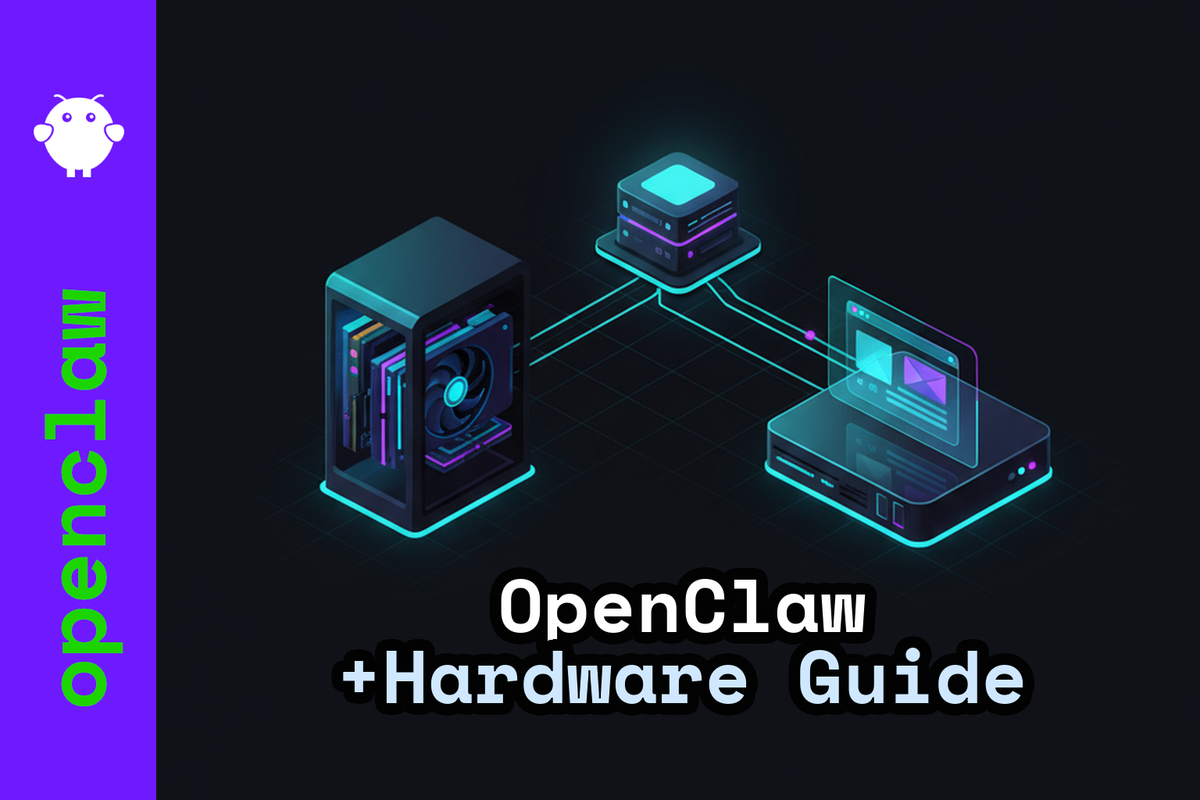
Most hardware discussions for OpenClaw frame the question as "Mac mini vs x86 workstation" and then spend 2,000 words debating unified memory bandwidth. That's the wrong axis.
OpenClaw's architecture makes the real question obvious: what are you actually running? The gateway process, local inference, and browser automation have completely different hardware profiles. Getting one right doesn't automatically get the others right.
The three hardware roles
OpenClaw is gateway-first. A single Gateway process owns your messaging surfaces — WhatsApp, Telegram, Slack — and runs a WebSocket control plane that everything else connects to (default: 127.0.0.1:18789). Clients, automations, and nodes all connect there.
From that design, three hardware roles emerge:
- Gateway host — always-on, owns channel connections and workspace data, runs tool execution
- Compute host — local inference, GPU, KV-cache, parallel model sessions
- Browser host — Playwright or CDP, handles web automation tasks
OpenClaw's own documentation treats "one gateway per host" as a design principle: the gateway is the only process that should own a WhatsApp Web session. For multi-user isolation, you want multiple gateways on separate hosts — not one shared gateway scaled up. This affects purchasing decisions more than any benchmark does.
Gateway: stability matters more than performance
The gateway itself is not compute-heavy. What drives its hardware requirements:
- Single-thread performance for the event loop and I/O
- Enough cores for parallel tool execution — Playwright, ffmpeg, CLI tasks, containers
- Reliable storage for workspaces, attachments, and logs that accumulate continuously
Without local inference, 32 GB RAM covers a gateway running Playwright and tools comfortably. A Mac mini M4 (or M4 Pro) is a strong gateway host — optional 10GbE, up to 64 GB unified memory, 155 W max continuous power draw. An x86 mini-PC with 2.5GbE and a quality NVMe covers the same ground on Linux or WSL2.
Storage deserves attention here. Workspaces, attachments, logs, and model artefacts grow constantly. The Samsung 990 Pro 2 TB ships with 1,200 TBW and AES-256 full-disk encryption — that endurance figure matters more than peak sequential read speed for a long-running gateway.
Local inference: VRAM is the constraint
Adding local inference changes the equation entirely. The bottleneck is rarely compute (FLOPS). It's memory: model weights loaded into the appropriate precision format, plus a KV cache that grows linearly with batch size and sequence length.
A concrete example: Llama 2 7B at FP16, 4K context, batch size 1 needs roughly 2 GB for the KV cache alone. Scale context or parallelism and you exhaust available memory quickly. More VRAM is the most direct lever for longer contexts and more concurrent sessions.
Here's where the "unified memory replaces VRAM" argument runs into a structural wall:
- Apple M4 Pro: 273 GB/s unified memory bandwidth
- NVIDIA RTX 4090: 1,008 GB/s, 24 GB GDDR6X, 450 W TBP
- NVIDIA RTX 6000 Ada: 960 GB/s, 48 GB ECC VRAM, 300 W TBP
These aren't comparable for serving workloads. Apple Silicon handles single-user, moderate-model inference well. For team serving, long contexts, or multiple parallel sessions, x86 with a discrete GPU scales in ways the Mac mini does not — there are no PCIe slots, no path to more VRAM, no modular upgrade option.
One practical note on AMD: vLLM supports ROCm, but the official compatibility matrix is narrow and the ops overhead is real. Verify ROCm support for your specific GPU before buying. CUDA-first toolchains (vLLM, MLPerf) are the production default for a reason.
Browser automation: headless friction is real
Running OpenClaw headless on a server is fine for the gateway itself. Web automation is where headless setups create friction.
OpenClaw supports three patterns for browser control:
- Node host proxy — a node process runs on the browser machine; the gateway routes browser actions through it
- Remote CDP — configure
browser.profiles.<name>.cdpUrlto point OpenClaw at a remote Chromium via Chrome DevTools Protocol - Local Playwright headless — works for most server-side automation but triggers bot detection on some sites
OpenClaw's documentation flags this directly: for sites like X/Twitter, a regular browser session on the gateway's host is more reliable than a sandboxed or headless one. Remote browser control is effectively operator access — treat it that way in your security model. Keep gateway and node ports on your tailnet only.
For browser automation at scale or where CAPTCHA handling matters, hosted browser services (Browserless integrates with OpenClaw) are the practical answer. You're not paying for automation capability — you're paying to not manage the infrastructure.
Hardware tiers
Entry (personal/hobbyist)
The Mac mini M4 covers this tier well on the Apple side. On Linux, an x86 mini-PC with 2.5GbE, 32 GB RAM, and a 1 TB NVMe handles gateway plus tools without friction. Windows users: OpenClaw recommends WSL2 (Ubuntu) to keep Linux tooling consistent — budget extra RAM for the VM overhead.
Keep inference via API at this tier. The math on local inference doesn't work out until you have a workload that justifies the hardware.
Freelancer / solo-pro
A single-GPU workstation: 12–16 cores, 64–128 GB RAM, 2× NVMe (OS/services and workspace/database separated), GPU in the 16–24 GB VRAM range. The RTX 4090 (24 GB, \~1,008 GB/s) is the prosumer ceiling, but 450 W TBP is a real consideration for an always-on machine.
10GbE becomes worth it once the inference host is on a separate machine and you're moving model artefacts or large attachments across the network regularly.
Company / team
Separate the roles: gateway host, inference server, browser node. A combined machine is not the answer at team scale.
The security argument matters here independently of performance: the gateway is an authenticated operator boundary. Users who access the gateway have operator-level access. Approval gates reduce mistakes but don't enforce per-user isolation. Multiple gateways on separate hosts is the correct architecture for multi-user deployments.
Inference server: the RTX 6000 Ada (48 GB ECC, 960 GB/s, 300 W) is a more maintainable production choice than the RTX 4090. ECC memory matters for long-running workloads. 300 W at the wall doesn't require rethinking PSU and cooling the way 450 W does.
For platform: Threadripper PRO (128 PCIe 5.0 lanes) or EPYC (12 DDR5 memory channels) depending on whether multi-GPU or memory bandwidth is the binding constraint.
The Mac mini question
The Mac mini M4 is a good gateway host. The hardware matches what a gateway needs: low idle power, 10GbE available, up to 64 GB unified memory, quiet.
The "Apple Silicon is sufficient for everything" narrative breaks down at serving. 273 GB/s unified memory bandwidth versus 960 GB/s on a dedicated GPU is a structural difference, not a benchmark footnote. Add that there are no PCIe slots for more VRAM, no internal upgrade path, and that production serving stacks are CUDA-first — and the picture is clear.
The durable architecture: keep the gateway cheap and stable, push inference to a separate host with real VRAM. That keeps the gateway reliable and makes the inference layer replaceable without touching your messaging surfaces.
If you're debugging a specific OpenClaw hardware configuration with an AI assistant, paste the URL of this post into the conversation. The architecture and tier reasoning here give the model enough context to answer follow-up questions about your setup.
Where to run this
If you want OpenClaw without managing the hardware question, xCloud hosts it managed. You get the gateway without a weekend of infrastructure decisions — useful while you evaluate whether local inference is worth the investment for your actual workload.
For the VPS side — anything from the gateway host to the inference server — Hetzner covers the range from €4.85/month on a CX22 up to dedicated GPU servers when local inference becomes serious. €10 starting credit.
(Affiliate links — we get a small cut if you sign up, at no cost to you.)
Resources
- OpenClaw documentation — gateway architecture, Node host proxying, remote CDP configuration
- vLLM docs — CUDA and ROCm GPU support paths and compatibility matrices
- OpenClaw on a VPS: secure deploy with Docker and Tailscale — gateway deployment patterns
- Managed OpenClaw hosting vs. DIY VPS — cost and tradeoff comparison